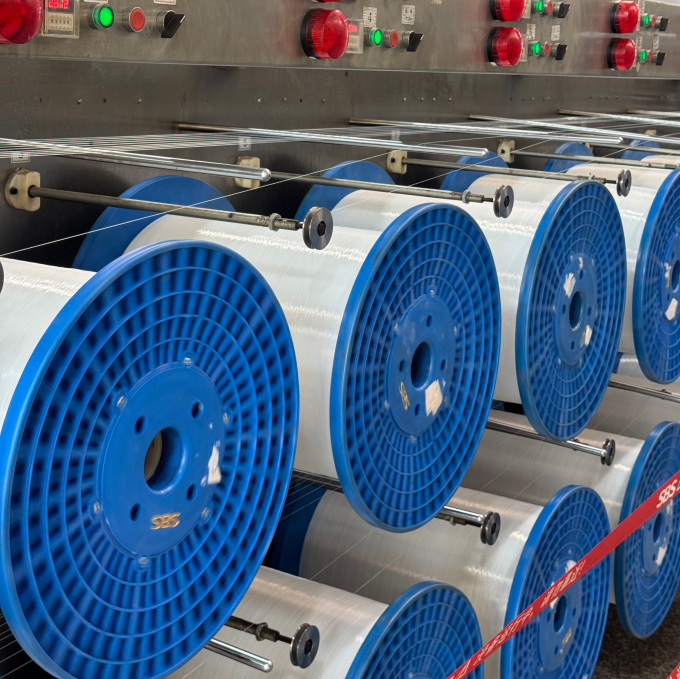
Monofilament diameter fluctuation is one of the most common quality problems in plastic monofilament extrusion. A small change in diameter can affect zipper performance, brush bristle uniformity, fishing line strength, filter mesh accuracy, artificial grass appearance, and other finished-product properties.
For PET, PA (nylon), PP, PE, and other thermoplastic monofilaments, diameter stability depends on the entire extrusion process—not simply on the spinneret die. Melt output, melt temperature, polymer viscosity, quenching, drawing ratio, godet speed, winding tension, and material consistency all influence the final filament diameter.
In simple terms, monofilament diameter is controlled by the relationship between polymer throughput and the effective take-off/drawing speed.
If polymer output increases while line speed remains constant, the filament generally becomes thicker.
If polymer output remains constant while effective drawing or take-off speed increases, the filament generally becomes thinner.
Therefore, persistent diameter fluctuation usually indicates instability somewhere in the extrusion, cooling, drawing, or winding process.
This guide explains the main causes of monofilament diameter fluctuation, how to identify each problem, and which process controls can be used to stabilize the final diameter.
What Causes Monofilament Diameter Fluctuation?
The most important causes of monofilament diameter fluctuation can be grouped into five areas:
- Unstable polymer feeding
- Melt pressure and extrusion output fluctuation
- Melt temperature and polymer viscosity changes
- Uneven quenching and cooling
- Unstable drawing, godet speed, or winding tension
Material moisture can also be a major factor, particularly when processing hygroscopic polymers such as PET and nylon.
The key point is that diameter variation is usually a process stability problem rather than a die problem alone.
1. Unstable Polymer Feeding
The extrusion process begins with consistent feeding. If polymer pellets or regrind do not enter the extruder at a stable rate, the screw receives an inconsistent amount of material.
This can produce fluctuations in:
- Melt output
- Melt pressure
- Screw loading
- Melt temperature
- Die throughput
- Final monofilament diameter
Common feeding problems
Typical causes include:
- Hopper bridging
- Rat-holing
- Inconsistent pellet flow
- Poor feeding of recycled material
- Excessive variation in pellet size
- Unstable gravimetric or volumetric feeding
- Changes in recycled-to-virgin resin ratio
When the feed rate changes periodically, the extruder may produce a corresponding thick-thin pattern along the monofilament.
How to control feeding instability
For consistent monofilament diameter:
- Keep the polymer feed rate stable.
- Avoid sudden changes to the resin formulation during production.
- Maintain a consistent recycled-material ratio.
- Check hopper flow regularly.
- Keep different raw-material batches properly controlled.
- Use a suitable feeding system for the material being processed.
For recycled PET or other recycled polymers, controlling the material blend is particularly important because variations in intrinsic viscosity, contamination, moisture, and particle characteristics can influence melt behavior.
2. Melt Pressure and Extrusion Output Fluctuation
The extruder converts solid polymer into a continuous molten stream. Any significant instability in melt pressure or melt output can eventually appear as monofilament diameter variation.
A typical symptom is:
thick → thin → thick → thin
If the pattern is relatively regular, screw pulsation or unstable melt delivery should be investigated.
What causes melt pressure fluctuation?
Common causes include:
- Unstable feeding
- Screw pulsation
- Screen or filter loading
- Contaminated polymer
- Excessive downstream resistance
- Unstable melt temperature
- Inconsistent polymer viscosity
A filter or screen pack that gradually becomes blocked can also increase pressure. As pressure rises, the extrusion system may no longer deliver the same stable melt flow.
Why a melt pump can improve diameter stability
A melt or gear pump can provide controlled volumetric melt delivery between the extruder and die.
The extruder primarily melts and conveys the polymer, while the metering pump can provide a more consistent melt flow to the spinneret.
This is particularly useful for precision monofilament extrusion because it can reduce the influence of screw-speed and pressure fluctuations on die throughput.
However, a melt pump is not a universal solution.
It cannot compensate for:
- Poor polymer drying
- Severe temperature instability
- Uneven quenching
- Incorrect drawing ratios
- Godet slip
- Poor machine alignment
The entire process still needs to be stable.
3. Melt Temperature Fluctuation and Polymer Viscosity
Temperature has a direct effect on polymer melt viscosity.
If melt temperature changes, polymer viscosity changes. This can influence:
- Melt pressure
- Extrusion flow
- Die swell
- Drawing behavior
- Final monofilament diameter
For this reason, a temperature controller showing a stable setpoint does not necessarily mean that the actual process temperature is stable.
Setpoint vs. actual melt temperature
An extrusion line may display a barrel-zone setpoint such as 270°C, but the actual polymer melt temperature can differ depending on:
- Screw shear heating
- Residence time
- Material throughput
- Barrel temperature distribution
- Die temperature
- Ambient conditions
- Heater and cooling response
For precision monofilament production, operators should pay attention to process trends rather than relying only on the temperature displayed on the control panel.
Recommended temperature controls
A stable monofilament extrusion process normally requires:
- Multi-zone temperature control
- Proper PID tuning
- Stable barrel temperatures
- Stable die temperature
- Consistent melt temperature
- Regular temperature sensor inspection
A small temperature change does not automatically create a specific amount of diameter variation. The actual effect depends on the polymer, processing conditions, throughput, and draw conditions.
Therefore, temperature tolerance should be established from the material-specific process window rather than applying one universal value to every monofilament.
4. Moisture in PET and Nylon Monofilament
Moisture is especially important when processing hygroscopic polymers.
PET and nylon absorb moisture from the surrounding environment.
If these materials are not sufficiently dried before extrusion, moisture can cause hydrolytic degradation and can also generate vapor during melting.
Potential consequences include:
- Reduced molecular weight
- Lower melt viscosity
- Bubbles or voids
- Surface defects
- Unstable extrusion
- Reduced mechanical properties
- Diameter variation
- Filament breaks
This is why a diameter problem may suddenly appear after a dryer malfunction even when the extrusion and drawing settings have not changed.
How to control polymer moisture
For PET and nylon monofilament production:
- Follow the resin supplier’s recommended drying conditions.
- Monitor dryer dew point.
- Control drying temperature and residence time.
- Keep dried material protected from ambient moisture.
- Minimize unnecessary exposure of dried resin to humid air.
- Avoid mixing properly dried material with wet material.
Important point
There is no single moisture specification that applies to every PET or nylon grade.
The correct moisture level should be determined according to the specific resin grade and supplier’s processing recommendation.
5. Uneven Quenching and Cooling
After the polymer exits the spinneret, the molten filament must be cooled and solidified.
The quench section therefore plays an important role in establishing the filament’s initial geometry.
If cooling is uneven, the filament can develop:
- Diameter variation
- Ovality
- Asymmetric shrinkage
- Surface defects
- Unstable drawing behavior
What causes uneven cooling?
Typical causes include:
- Unstable water temperature
- Incorrect water level
- Uneven water flow
- Turbulence around the filament
- Dirty filters
- Incorrect filament entry position
- Poor strand alignment
- Damaged or contaminated guides
If one side of the filament cools faster than the other, the resulting cross-section may become oval instead of round.
Diameter Fluctuation vs. Ovality: What Is the Difference?
These two problems are related but should not be confused.
Diameter fluctuation means that the size of the filament changes along its length.
For example:
0.80 mm → 0.82 mm → 0.79 mm → 0.81 mm
Ovality means that the cross-section is not perfectly round.
For example, the filament might measure:
0.82 mm in one direction and 0.76 mm in another direction.
A filament can therefore have relatively stable average diameter while still having excessive ovality.
Uneven quenching and strand alignment are common factors behind ovality, while melt-flow and drawing instability are common causes of true longitudinal diameter fluctuation.
6. Draw Ratio Instability
Drawing reduces the diameter of the initially solidified filament and increases molecular orientation and mechanical performance.
The effective draw ratio is determined by the relative speeds of the drawing stages.
In simplified terms:
Draw Ratio = Downstream Godet Speed ÷ Upstream Godet Speed
If the speed ratio changes, the effective amount of stretching changes.
This directly influences the final monofilament diameter.
Why draw ratio matters
Suppose the extrusion output remains stable.
If the downstream godet speed increases, the filament is stretched more strongly and its final diameter generally decreases.
If the downstream speed decreases, less stretching occurs and the final diameter generally increases.
Therefore, the important variable is not simply one motor’s speed.
It is the speed relationship between the different drawing stages.
How to control draw ratio
For a stable process:
- Establish a material-specific draw recipe.
- Keep the speed ratio between godet stages consistent.
- Avoid unnecessary manual speed adjustments.
- Record proven process parameters.
- Check actual godet speed against the displayed setpoint.
- Verify that the filament is not slipping on the godet.
Different materials and products require different draw ratios. PET, PA, PP, PE, PBT, and other polymers should not automatically use the same drawing recipe.
7. Godet Slip and Take-Off Instability
Godets transfer mechanical force to the filament through surface contact.
If the filament slips on a godet, the actual drawing speed can differ from the motor’s nominal speed.
This means the effective draw ratio changes even though the control-panel setting has not changed.
Common causes of godet slip
- Contaminated godet surface
- Excessive surface wear
- Insufficient filament wrap
- Incorrect contact angle
- Poor filament tension
- Oil or polymer buildup
- Incorrect godet surface condition
Symptoms
Godet slip may cause:
- Local diameter thinning
- Diameter fluctuation
- Filament breaks
- Unstable tension
- Irregular orientation
- Inconsistent winding
Control methods
Check:
- Godet surface condition
- Filament wrap
- Contact angle
- Tension
- Actual rotational speed
- Alignment between stages
Mechanical traction should be restored before changing the draw-ratio recipe.
8. Winding Tension Instability
The winder is the final section of the line, but it should usually not be the first place to look for a diameter problem.
If extrusion, quenching, and drawing are stable, winding tension normally has a limited effect on the actual extrusion diameter.
However, severe winding instability can create tension fluctuations that propagate backward into the drawing section.
Possible symptoms include:
- Irregular winding
- Tension hunting
- Filament breaks
- Package build problems
- Intermittent diameter changes
For troubleshooting, stabilize the extrusion and drawing sections first. Then optimize winding tension and package formation.
Monofilament Diameter Troubleshooting: Cause and Control Table
What You See | Likely Cause | First Check | Recommended Control |
Slow diameter drift | Temperature, moisture, filter loading | Melt temperature, dryer dew point, filter pressure | Stabilize thermal and material conditions |
Repeating thick/thin pattern | Feed or screw pulsation | Feed rate and melt pressure | Stabilize feeding and melt delivery |
Diameter fluctuation with pressure fluctuation | Extrusion instability | Melt-pressure trend | Check screen/filter and metering system |
Diameter variation plus ovality | Uneven cooling | Water temperature, flow and strand position | Stabilize quench conditions |
Diameter consistently too large | Insufficient drawing or excessive output | Draw ratio and throughput | Adjust process recipe |
Diameter consistently too small | Excessive drawing or insufficient output | Draw ratio and throughput | Correct speed ratio |
Local thin spots | Godet slip or excessive drawing | Godet traction | Restore godet contact |
Diameter changes after material change | Resin viscosity or moisture | Material batch and drying | Standardize resin and drying conditions |
Diameter changes between shifts | Operator settings or material conditions | Production records | Standardize recipe and checklist |
Diameter changes with winder instability | Tension feedback | Winder tension | Stabilize winding system |
How to Measure Monofilament Diameter Correctly
Before changing the extrusion process, confirm that the measurement itself is reliable.
Monofilament diameter can be measured using:
- Micrometers
- Optical measurement systems
- Laser diameter gauges
- Inline diameter measurement systems
For high-speed industrial production, an inline laser diameter gauge provides continuous measurement along the filament and can reveal fluctuations that a manual micrometer check may miss.
Manual measurement
Manual measurement can be useful for laboratory checks and quality verification.
However, operators should avoid relying on a single measurement point.
A better approach is to:
- Take samples from different positions along the filament.
- Measure multiple points.
- Record the results.
- Compare the average diameter.
- Check the maximum and minimum values.
- Check whether the filament is round or oval.
Inline measurement
An inline laser gauge can continuously monitor:
- Diameter
- Diameter deviation
- Trend over time
- Sudden diameter changes
- Potential ovality, depending on the measurement system
This creates a much clearer picture of whether the problem is a slow drift, periodic oscillation, or isolated defect.
How Tight Should Monofilament Diameter Tolerance Be?
There is no single universal monofilament diameter tolerance that applies to every application.
The achievable tolerance depends on:
- Target filament diameter
- Polymer type
- Polymer viscosity
- Production speed
- Extrusion output
- Spinneret design
- Melt filtration
- Quench conditions
- Draw ratio
- Godet synchronization
- Winding system
- Measurement method
- Required product performance
Some industrial applications may accept a relatively broad tolerance, while precision products such as technical mesh, filter materials, zipper monofilament, and certain specialty filaments may require significantly tighter control.
For this reason, a tolerance such as ±0.005 mm should be treated as an application-specific engineering target, not a universal industry standard.
The correct approach is to define the target diameter and allowable tolerance first, then design the extrusion and control system around that specification.
Can an Inline Laser Gauge Control Monofilament Diameter?
Yes.
A modern monofilament extrusion line can use an inline laser diameter gauge as part of a closed-loop control system.
The basic control concept is:
Measure → Compare → Correct → Measure Again
The system continuously compares the measured diameter with the target value.
If the diameter begins to move away from the target, the control system can adjust a suitable process variable, such as:
- Melt pump speed
- Extrusion output
- Godet speed
- Other configured line parameters
The exact control strategy depends on the extrusion-line architecture.
What closed-loop control can and cannot do
Closed-loop diameter control is highly effective for correcting slow process drift.
For example:
- Gradual ambient-temperature changes
- Small output changes
- Slow viscosity changes
- Long-term process drift
However, closed-loop control should not be used to hide severe upstream instability.
If the melt pressure is rapidly oscillating, the material feed is unstable, or the quench is turbulent, simply increasing feedback gain may create another unstable control loop.
The best diameter-control system is built on a stable extrusion process first, followed by intelligent feedback control.
A Practical Monofilament Diameter Troubleshooting Procedure
When a production line starts producing diameter variation, avoid changing several parameters simultaneously.
Use a systematic sequence.
Step 1: Check Melt Pressure
Look at the pressure trend rather than a single pressure reading.
Ask:
- Is pressure stable?
- Is pressure gradually increasing?
- Is there a repeating pressure oscillation?
- Did pressure change when the diameter changed?
A matching pressure and diameter oscillation strongly suggests an upstream melt-delivery problem.
Step 2: Check Melt Temperature
Compare:
- Setpoint temperature
- Actual temperature
- Temperature trend
- Different barrel zones
- Die temperature
- Melt temperature, where available
Look for slow temperature cycling rather than only large deviations.
Step 3: Check Polymer Feeding and Material
Verify:
- Feed stability
- Resin grade
- Recycled-material percentage
- Material batch
- Pellet condition
- Dryer operation
- Dryer dew point
For PET and nylon, moisture should be one of the first checks after a sudden quality change.
Step 4: Check the Quench Section
Confirm:
- Water temperature
- Water level
- Flow stability
- Filter condition
- Strand position
- Strand entry alignment
- Turbulence around the filament
If diameter variation is accompanied by ovality, prioritize the quench and alignment checks.
Step 5: Check Drawing
Verify:
- Godet speeds
- Speed ratios
- Draw ratio
- Filament tension
- Godet surface condition
- Filament wrap
- Possible slippage
Do not change the entire drawing recipe simply because the final diameter is slightly off target.
First determine whether the effective draw ratio has actually changed.
Step 6: Check Winding
Only after the previous sections are stable should you investigate:
- Winding tension
- Traverse movement
- Package formation
- Winder speed synchronization
This troubleshooting order prevents operators from treating the final symptom instead of the actual cause.
How to Reduce Monofilament Diameter Fluctuation in Production
A stable monofilament extrusion process normally requires control at several levels.
Material control
- Use consistent polymer grades.
- Control recycled-material ratios.
- Dry hygroscopic materials correctly.
- Monitor material quality.
Extrusion control
- Maintain stable feeding.
- Stabilize screw operation.
- Monitor melt pressure.
- Maintain consistent melt temperature.
- Use appropriate melt filtration.
Melt-delivery control
- Use a metering pump where the application requires high melt-flow stability.
- Monitor pump operation.
- Maintain stable pressure before the spinneret.
Cooling control
- Maintain stable quench-water temperature.
- Maintain stable water level.
- Keep water flow symmetrical.
- Maintain correct strand alignment.
Drawing control
- Maintain fixed speed ratios.
- Prevent godet slip.
- Maintain consistent filament tension.
- Use a validated draw recipe.
Measurement and feedback
- Use reliable diameter measurement.
- Monitor diameter trends continuously where appropriate.
- Establish alarm limits.
- Use closed-loop correction for suitable applications.
Why Stable Diameter Requires the Entire Extrusion Line to Work Together
A monofilament extrusion line is not a collection of independent machines.
The major process sections are interconnected:
Feeding → Drying → Extrusion → Melt Filtration → Metering → Spinneret → Quenching → Drawing → Heat Setting → Oiling → Winding
A change in one section can affect another.
For example:
Unstable feeding → melt-pressure fluctuation → unstable die output → diameter fluctuation
Or:
Uneven quenching → poor filament geometry → unstable drawing → diameter and ovality problems
Or:
Godet slip → effective draw-ratio change → local diameter reduction → filament break
This is why a precision monofilament extrusion line should be designed as an integrated process rather than as a collection of individual machines.
The Most Important Rule for Monofilament Diameter Control
When diagnosing diameter fluctuation, follow this order:
Melt → Cooling → Drawing → Winding
Do not immediately change the drawing speed or winder tension simply because the final diameter is incorrect.
First determine whether the polymer melt is stable.
Then verify that the filament is cooled and shaped consistently.
Then verify the actual drawing ratio and godet traction.
Finally, optimize winding.
This approach makes troubleshooting faster and reduces the risk of creating a new instability while trying to correct the original one.
Frequently Asked Questions About Monofilament Diameter Fluctuation
Why does monofilament diameter change between production shifts?
The extrusion machine may be capable of producing stable filament, but process conditions can change between shifts.
Common causes include:
- Different recycled-material ratios
- Different raw-material batches
- Dryer condition
- Hopper feeding
- Operator adjustments
- Quench-water temperature
- Draw-stage speed settings
- Winding tension
A standardized production recipe and operator checklist can significantly reduce shift-to-shift variation.
Is monofilament diameter fluctuation the same as ovality?
No.
Diameter fluctuation describes a change in filament size along its length.
Ovality describes a deviation from a circular cross-section.
Uneven cooling and strand alignment are common contributors to ovality, while unstable melt delivery and drawing conditions are common contributors to longitudinal diameter fluctuation.
Both problems can occur at the same time.
Can a melt pump reduce monofilament diameter variation?
Yes, when the variation originates from unstable melt delivery.
A metering gear pump can provide a more consistent melt flow to the spinneret and reduce the effect of screw-output fluctuations.
However, a melt pump cannot correct problems caused by wet resin, unstable temperature, poor quenching, godet slip, or incorrect drawing conditions.
Why does my monofilament become thinner during production?
Possible causes include:
- Increasing draw speed
- Increasing effective draw ratio
- Reduced melt output
- Lower melt viscosity
- Godet behavior changes
- Material-property changes
Check melt pressure, melt temperature, extrusion output, and godet speed trends together instead of changing only one parameter.
Why does my monofilament become thicker?
Possible causes include:
- Increased polymer throughput
- Reduced draw ratio
- Reduced downstream speed
- Increased melt viscosity
- Feed-rate changes
- Filter or melt-flow instability
Again, compare extrusion output and drawing speed before making adjustments.
What is a realistic monofilament diameter tolerance?
There is no universal tolerance for all monofilament products.
The required tolerance depends on the material, diameter, application, production speed, machine configuration, and measurement system.
Precision applications may require very tight control, while other industrial applications can operate with a wider tolerance.
The correct tolerance should therefore be defined as part of the product specification and validated through actual production trials.
How can I improve monofilament diameter stability on an existing extrusion line?
Start by collecting process data.
Record:
- Target diameter
- Actual diameter
- Melt pressure
- Melt temperature
- Extruder speed
- Melt-pump speed
- Godet speeds
- Draw ratio
- Quench-water temperature
- Winding speed
- Material batch
- Dryer condition
Then compare the diameter trend with the process trends.
The goal is to identify which variable changes at the same time as the diameter.
This is much more effective than repeatedly adjusting the diameter setting without identifying the underlying instability.
Conclusion: Monofilament Diameter Is a Process-Control Problem
Monofilament diameter fluctuation rarely comes from one isolated component.
The most common causes are:
- Unstable polymer feeding
- Melt pressure or extrusion-output fluctuation
- Melt temperature and viscosity changes
- Moisture in hygroscopic polymers such as PET and nylon
- Uneven quenching
- Incorrect or unstable draw ratio
- Godet slip
- Winding tension instability
The fundamental principle is simple:
Stable melt delivery + stable cooling + synchronized drawing + controlled winding = stable monofilament diameter.
For an existing production line, troubleshoot from the melt forward rather than immediately changing the winder or drawing speed.
For a new monofilament extrusion line, diameter tolerance should be treated as a system-design requirement from the beginning. The extruder, melt filtration, metering system, spinneret, quench tank, drawing section, godets, heat-setting system, winding system, and diameter measurement system all need to work together to achieve the required product specification.
Need a More Stable Monofilament Extrusion Process?
If you are experiencing diameter fluctuation, inconsistent ovality, filament breaks, or unstable production, the first step is to identify the relationship between your material, target diameter, output, draw ratio, and required tolerance.
NLY can evaluate the process configuration based on your specific application and material, including PET, PA, PP, PE, PBT, and recycled-material formulations.
When requesting a line configuration review, prepare the following information:
- Polymer:PET / PA / PP / PE / PBT / recycled material
- Target monofilament diameter:___ mm
- Required diameter tolerance:± ___ mm
- Required output:___ kg/h
- Final application:zipper / brush / fishing line / mesh / artificial grass / other
- Current draw ratio:___
- Current production problem:diameter drift / ovality / breaks / unstable output / other
A properly defined process window and factory production test can help verify whether the proposed extrusion line can consistently achieve the required monofilament specification before full-scale production.